
Single Sign-On
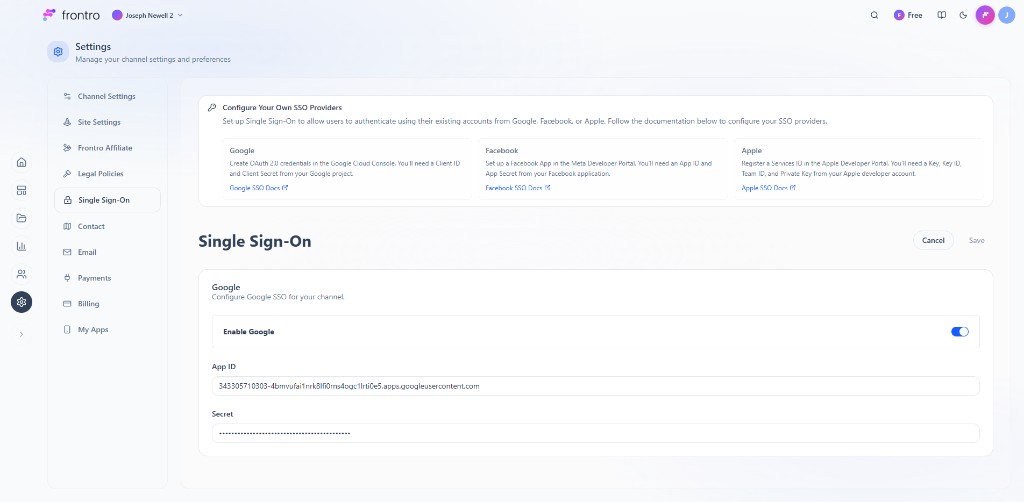
Configure SSO so users can sign in with Google, Facebook, or Apple from Settings → Single Sign-On.
Setup
Follow the linked docs (Google SSO Docs, Facebook SSO Docs, Apple SSO Docs) to get credentials. In the Single Sign-On card, enable each provider and enter App ID and Secret (or equivalent for Apple). Use Cancel / Save to apply.
Related documentation
- Settings — All settings pages
- Authentication — Roles, permissions, and auth overview